A task manager that lives in Claude, ChatGPT, and Cursor
If you spend most of your day in an AI client (Claude, ChatGPT, Cursor, or any of the other tools that have learned to call out to your data), your task manager probably isn’t there with you. You context-switch to a separate app to see what’s overdue, then back to Claude to keep working.
We just closed that gap. this+that now ships its own MCP server, which means your DoBox is reachable from any AI client that speaks the Model Context Protocol. Ask Claude “what’s overdue?” or “summarize my DoBox for the day” and it answers from your real tasks, without you leaving the chat window.
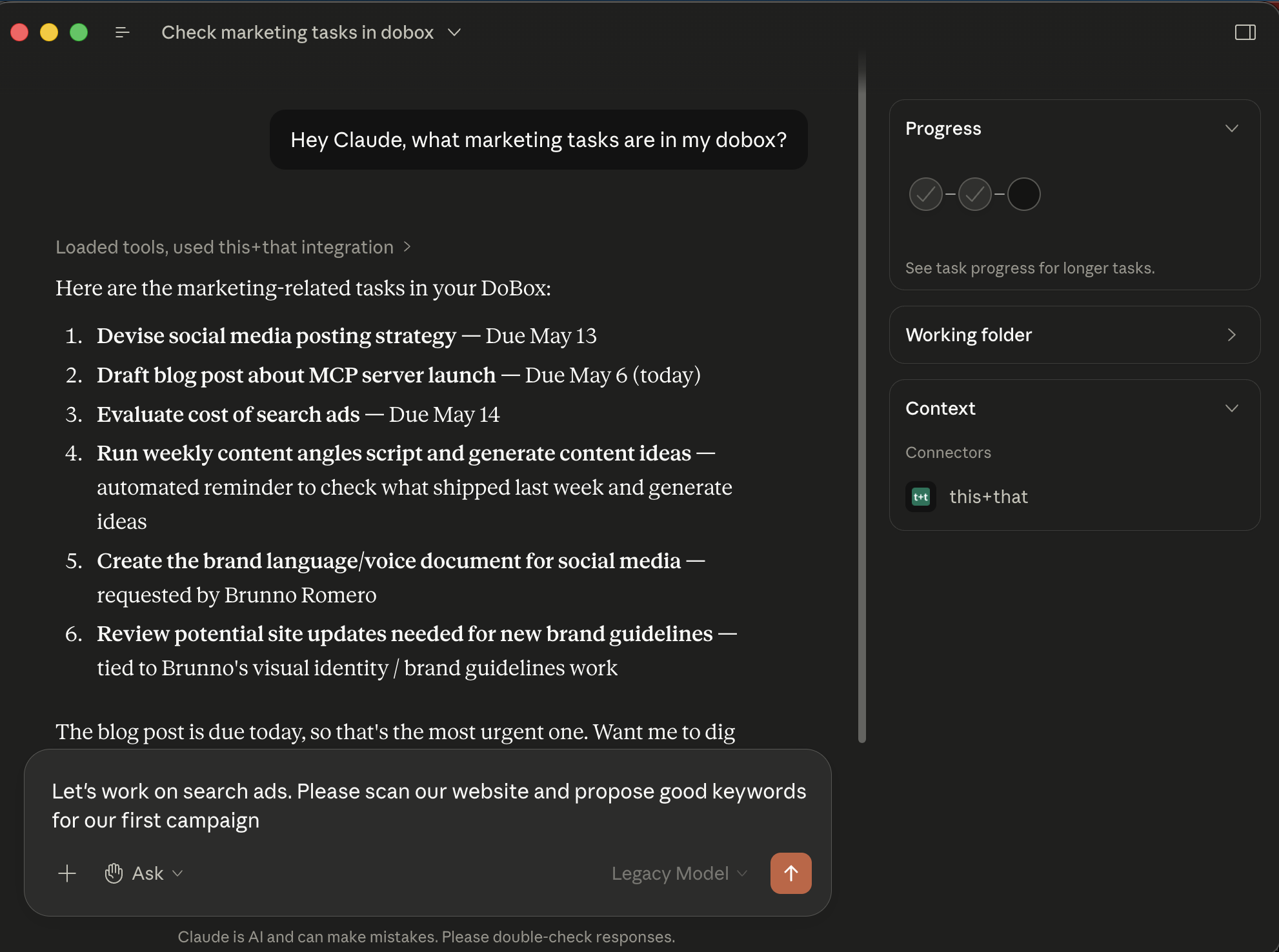
What you can ask today
The current release exposes one tool, dobox_get_entries, and your AI client picks it up automatically. A few examples that work right now:
- “What’s on my plate today?” pulls your unresolved DoBox entries with subjects, descriptions, due dates, and a count of how many messages each task came from.
- “Anything overdue?” gives you the same data, filtered to past-due items.
- “Show me the last ten things I resolved.” flips the filter to RESOLVED so you can audit what got done.
- “Summarize my DoBox grouped by client.” lets your AI client group and summarize the results however you ask.
You don’t have to memorize a tool name or learn a syntax. Plain English works because the AI picks the right tool and arguments based on what you ask.
Connecting from your AI client
The setup path depends on which client you’re in. All of them use OAuth, so there are no API keys to copy and paste, and tokens are stored by your AI client (in your OS keychain on macOS, for example), not by us.
Claude Code. One terminal command:
claude mcp add --transport http this_and_that https://mcp.thisandthat.chat/mcpThen run /mcp in Claude Code and select the server to authorize, or just ask a DoBox question and the browser sign-in will open automatically.
Claude Desktop. Customize → Connectors → + → Add custom connector. Enter this+that as the name and https://mcp.thisandthat.chat/mcp as the URL, then click Add. Once the connector loads, click Connect, and your browser will open for sign-in.
ChatGPT. Custom MCP connectors are supported across plans, including Free, on the web (not mobile). Enable Developer Mode under Settings → Apps → Advanced settings, then go to Settings → Connectors → Create custom connector. Enter this+that as the name and https://mcp.thisandthat.chat/mcp as the server URL; leave the rest blank. ChatGPT auto-creates a /dobox shortcut after the connector is added. You can type /dobox directly, or just ask in plain English.
Cursor and other clients. Point your client at the server URL above as an HTTP MCP endpoint. Authentication is OAuth 2.0 with Dynamic Client Registration, so most clients will discover the OAuth endpoints and register themselves on first connection.
Gemini. Google’s Gemini API supports MCP servers via its function-calling layer, and the standalone Gemini app is on a path to native MCP support but isn’t there yet for arbitrary HTTP endpoints. If you’re building on the Gemini API, you can wire our server in directly today; if you’re using the consumer Gemini app, hold tight.
The full instructions, including the exact OAuth flow, live on the DoBox MCP server page.
What’s coming next
Today’s release is read-only. That’s deliberate. We wanted to ship something narrow and safe before opening up writes. On the roadmap:
- Resolve entries from your AI client. “Mark the contract review as done.”
- Create entries from natural language. “Add a DoBox entry to follow up with the design team on Tuesday.”
- Update entries in place. “Push the launch review to next Friday and add the new RFP to the description.”
Once those land, your DoBox stops being a destination you visit and starts being something you talk to from wherever you already work.
Why we think this matters
The first two waves of productivity software, the suite era and the cloud era, assumed humans were the only operators. You opened the app, you clicked, you typed, you clicked some more, then you got the output. Agentic AI breaks that assumption. The agent operates the app. You operate the agent. And once that’s true, the question of which app a tool lives in gets a lot less interesting than whether your agent can reach it.
MCP is the standard that makes the second question easy to answer. It’s how this+that’s workflow builder reaches into Notion and Jira and HubSpot. And now, with our own server, it’s how your AI client reaches into this+that. Same protocol, both directions.
We wrote about the bigger picture in The third wave of productivity applications. The short version: the agent above the apps becomes the surface you actually use, and the apps that thrive in that world are the ones reachable both ways: they run a foreground experience for you, and they answer your AI client’s questions on demand. Today’s launch makes the second half of that real for this+that.
Sign up for this+that, add a few entries to your DoBox, and connect from Claude, ChatGPT, or Cursor in under a minute.