Messages in. Actions out.
The gap between a message and doing something about it
Most of the messages you get are the start of something you haven’t done yet. A Slack from a teammate is a task. An email from a customer is a question to answer. A Teams thread is a decision you haven’t made.
The problem isn’t the messages. It’s the gap between reading them and acting on them. That’s where work falls through.
If AI can read your messages, it can close that gap. Not by summarizing your inbox, but by actually doing the work. Messages in. Actions out. OpenClaw, but for knowledge workers.
Today we’re updating our product to make that real.
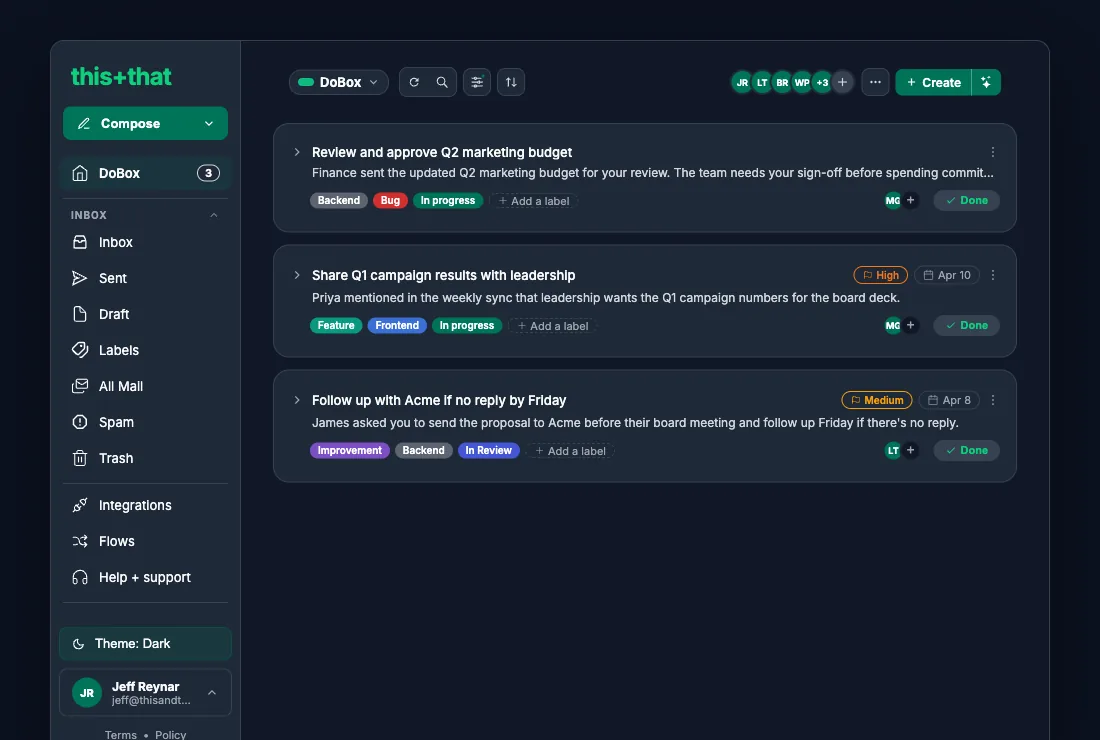
The DoBox is a full task manager now
We’ve always pulled tasks out of your messages. Now we’ve built the task manager to go with them.
The DoBox reads your conversations across Gmail, Outlook, Slack, Microsoft Teams, and Google Chat and surfaces everything you need to do, in one place. Every task links back to the message it came from, so you can jump to context in one click. You can also add your own tasks, assign them to teammates, set due dates, and organize however you like.
It works as a standalone task manager. It just happens to have an AI feeding it from every conversation you’re in.
The Workflow Designer connects everything
Task extraction was the start. Automation is where this gets more powerful.
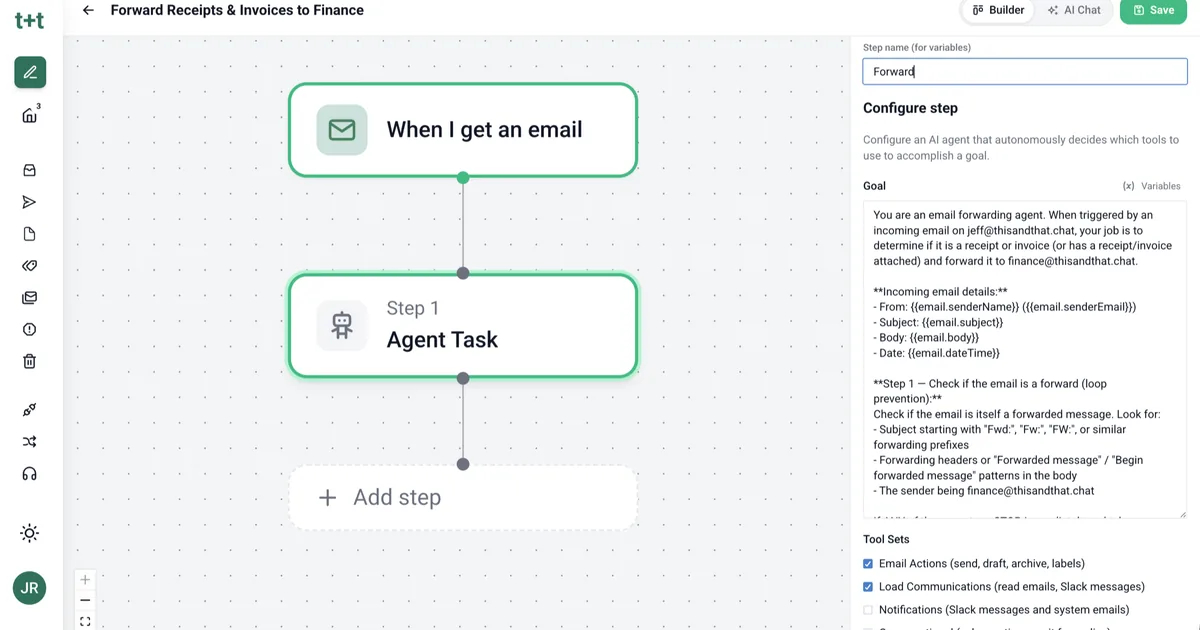
The Workflow Designer lets you build flows visually, or skip the builder and describe what you want in plain language and let the AI wire it up for you.
Here’s one that’s running in beta right now. A customer emails you. The workflow pulls action items from the thread, creates a follow-up task in your DoBox linked to the message, and drafts a reply based on your history with them. You review and send. That’s a ten-minute task that takes thirty seconds.
The designer ships with 18 MCP servers built in, including GitHub, Notion, HubSpot, Jira, Dropbox, Tavily for web search, and Windsor for marketing analytics. You can also connect any other tool that speaks MCP and wire it into a workflow.
Your inbox is full of work. this+that does it.
Get started and see what your inbox looks like when the work actually gets done. Free for 30 days, including 3,000 credits, no credit card required. Then $35 per user per month, or $29 billed annually, with 3,000 credits a month per person.